PascalABC.NET for VS Code
The official extension provides full-featured PascalABC.NET support in Visual Studio Code.
Download the Extension
Extension version: 0.5.1. Bundled PascalABC.NET version: 4.0. The extension is updated separately from the main PascalABC.NET 4.1 distribution.
You can download the extension from the PascalABC.NET downloads page or directly as a VSIX file:
Download PascalABC.NET Extension 0.5.1 for VS Code →
Installation in Visual Studio Code
The extension requires .NET 10.0.
- Download the
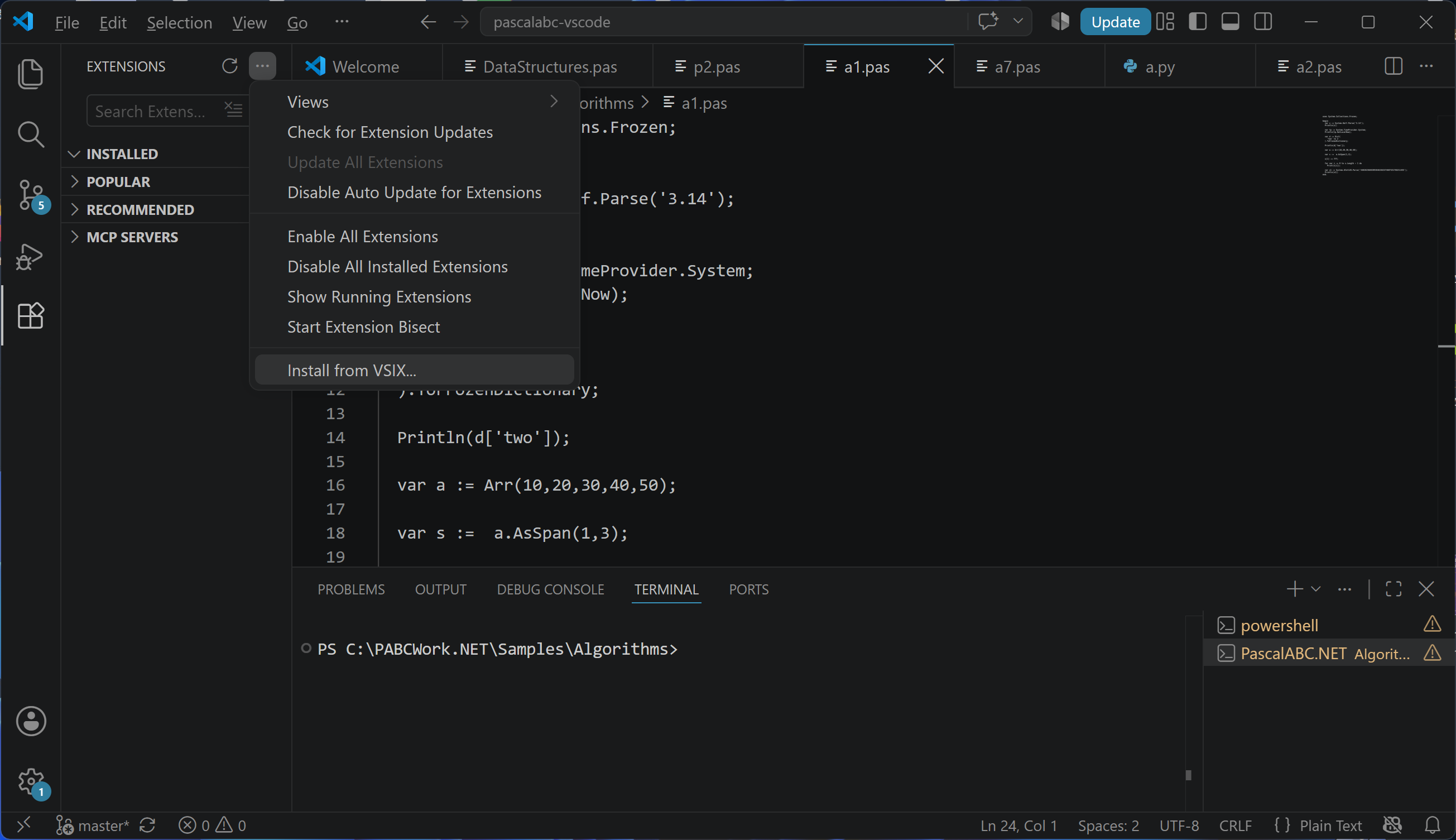
multitarget-pascalabc-net-0.5.1.vsixfile. - In Visual Studio Code, open View → Extensions.
- Click the … button in the EXTENSIONS header.
- Select Install from VSIX….
- Select the downloaded extension file.
Extension Features
The extension uses a dedicated Language Server integrated with the PascalABC.NET semantic analyzer and provides:
- code suggestions;
- member completion after a dot;
- Hover information about types and program elements;
- Signature Help for procedures, functions, and methods;
- display of compilation errors;
- program compilation and execution;
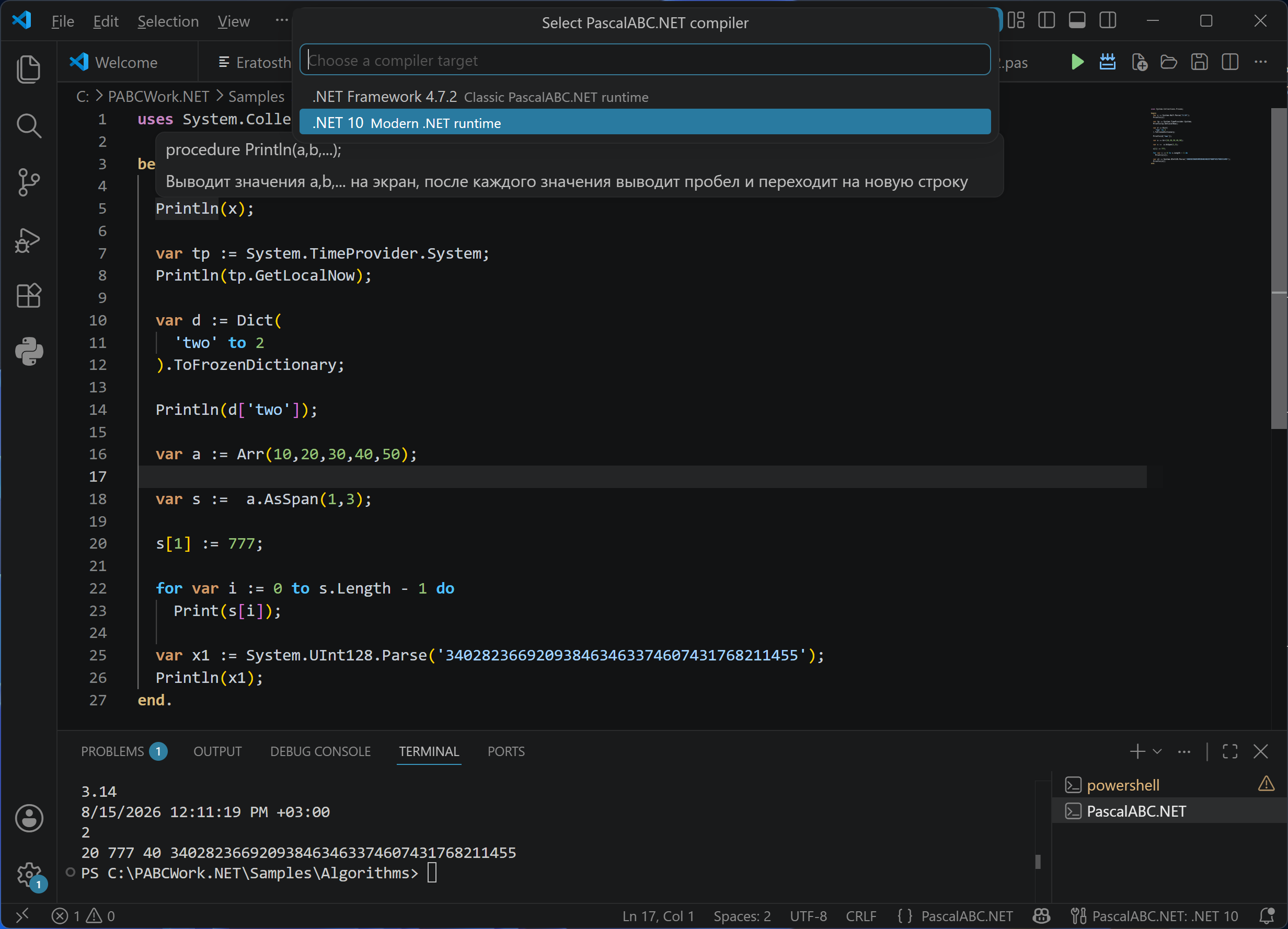
- selection of the target platform: .NET Framework 4.7.2 or .NET 10.
IntelliSense, including code suggestions, type information, Signature Help, and error reporting, works on Windows, Linux, and macOS.
Linux and macOS: program compilation and execution are available for the .NET 10 target. The .NET Framework 4.7.2 target is supported only on Windows. On macOS, PascalABC.NET currently works only through Visual Studio Code, without debugger support.

.pas file, opening a file, and saving a file.